
Inside Virtual Reality Software: Building Worlds, Solving Problems
VR technology is growing faster than ever, with over 53 million people in the U.S. now owning a VR system, indicating its rising popularity. Beyond entertainment, VR is transforming industries by enabling lifelike experiences. At the core of this innovation lies virtual reality software, the engine that brings these digital worlds to life.
In this guide, you’ll explore what VR software is, how it works, and the benefits it brings across various fields.
Key Takeaways:
- VR software mainly works to process input from VR hardware to deliver interactive experiences.
- VR technology is widely used across fields, like education, prototyping, gaming, and remote collaboration.
- Unity and Unreal Engine are notable VR development tools that are especially known for creating stunning gaming environments.
What is Virtual Reality Software?
VR software is a core component of VR technology, alongside hardware like headsets, sensors, controllers, and computers. While the hardware captures and delivers input from the real world, the software processes that data and renders the virtual environments or objects that users experience.
How Does it Work?
To deliver a captivating experience, virtual reality software performs several key functions.
a. 3D Modelling and Simulation
VR environments are typically built in 3D to simulate realistic settings. VR software uses 3D design tools to create virtual objects, spaces, and characters. These assets are then assembled into dynamic environments that mimic real-world dimensions and behavior.
b. Hardware Synchronization
The software must work seamlessly with VR hardware to ensure smooth, real-time interaction. The hardware sensors track user movements, and the software responds instantly. This low-latency response is crucial to maintaining a seamless experience and preventing motion sickness.
c. User Interface and Control
Like any software, VR applications include a user interface (UI), but are designed for 360-degree interaction. Instead of clicking traditional menus, users interact through gestures, gaze, or motion controls, making navigation intuitive and engaging.
Also Read : 7 Options of The Best Drawing Tablet for Hobbyists and Beginners
5 Types of Virtual Reality Software
VR software comes in different forms, each offering a unique level of experience depth and interaction. Here are the primary types.
1. Non-Immersive
This type of VR provides a 3D simulation that is accessed through a computer screen. You can control and explore it using a keyboard or mouse, but you don’t feel like you’re “inside” the world. A good example is open-world video games.
2. Semi-Immersive
Semi-immersive VR offers a more realistic virtual experience. However, interaction and sensory input are still limited compared to full immersion. For example, flight simulators let you practice flying, but with limited movement and sensory feedback.
3. Fully Immersive
This is the most advanced form of VR, offering complete absorption by simulating sight, sound, and even touch. Fully immersive VR enables users to feel as though they are truly inside the virtual environment. But it needs advanced equipment and can be costly.
4. Collaborative VR
Collaborative VR allows multiple users in different locations to meet and interact within the same virtual space, enabling real-time communication and teamwork. This type of VR is widely used for virtual meetings, remote training, and team-based simulations.
Benefits of Virtual Reality Software
The advantages of using virtual reality span across many industries, including gaming, education, healthcare, marketing, and engineering. Here are the key benefits.
1. Immersive Training and Simulation
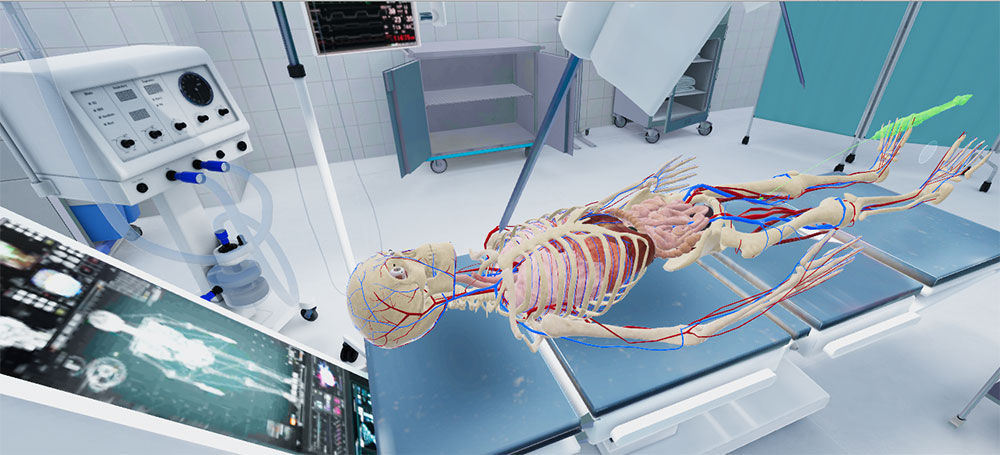
TAVR Surgery simulation | source: smarttek.solustions
VR creates a risk-free environment for training simulations, ideal for medical students, pilots, or industrial workers. It allows users to practice complex tasks without real-world consequences.
2. Prototyping and Visualization
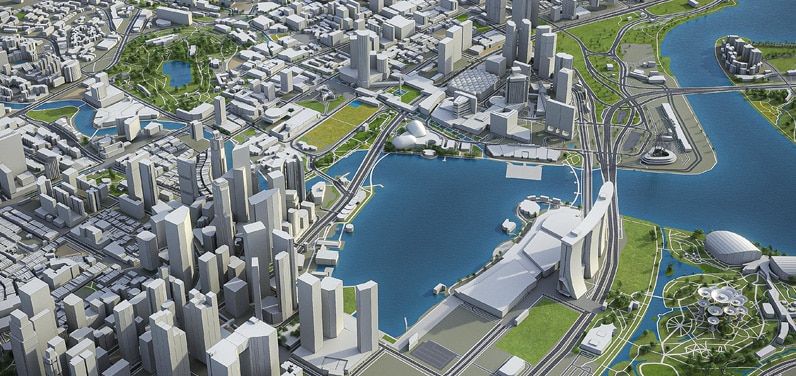
The Virtual Singapore Project | source: geospatialworld.net
Designers and engineers can visualize and test ideas in a virtual space before physical production begins. This speeds up the development process, improves decision-making, and reduces costly errors.
3. Enhanced Engagement

IKEA Virtual Showroom | source: demodern.com
VR provides a deeply hands-on experience that increases user engagement. The feeling of presence can boost memory retention and emotional impact, making it especially valuable in education, entertainment, and marketing.
4. Remote Collaboration
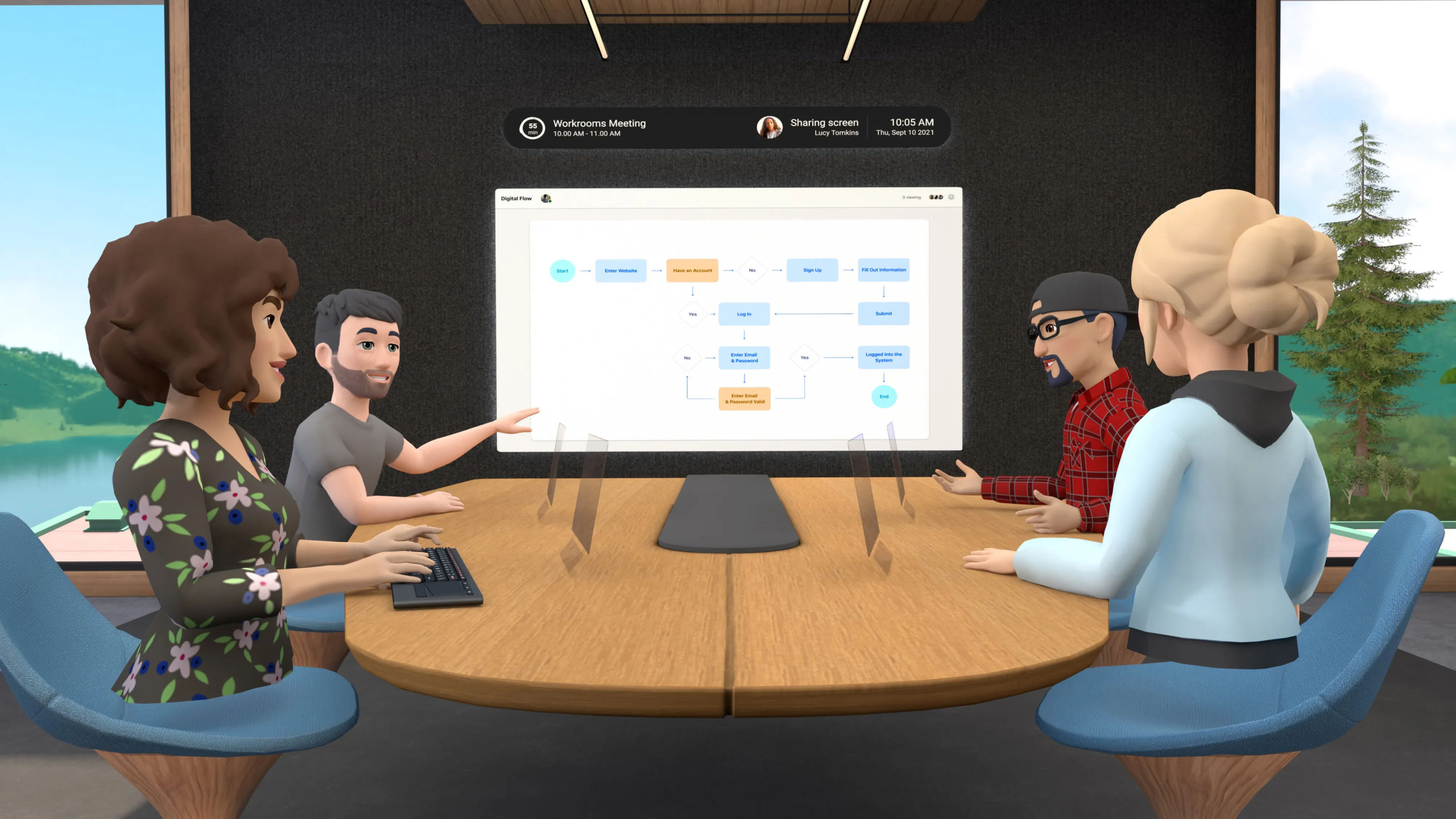
Meta’s Horizon Workrooms | source: about.fb.com
Virtual reality software allows remote teams to collaborate in a shared 3D environment. For example, architects can walk clients through a virtual model, and designers can co-review prototypes in real time.
Also Read : Finance Business Ideas: 15 Scalable Concepts for Lasting Success
5. Cost Efficiency
VR technology may be expensive at first. But, considering its benefits and long-term use, it can be hugely cost-efficient.
Also Read : 10 Real-World Examples of Augmented Reality in Everyday Life
Example of the Best Virtual Reality Software
Here are tools widely used for building captivating VR environments.
1. Unity
Unity is one of the most capable and widely used virtual reality software platforms. It offers powerful real-time rendering, a rich library of assets, and advanced animation tools that support realistic simulations.
Unity is also known for its user-friendly interface, making it suitable for both beginners and professionals.
2. Unreal Engine
When it comes to photorealistic visuals, Unreal Engine remains one of the top platforms in the VR space. It features an extensive collection of VR templates and project libraries, allowing developers to build detailed and high-end environments.
3. Arkio
Arkio is a responsive, real-time collaboration platform designed for VR teamwork. It allows users and teams to co-create environments using models from platforms like Autodesk BIM 360, SketchUp, Rhino, and even Unity.
As a powerful virtual reality software for PC, Arkio supports cross-platform collaboration. However, to unlock its full surrounding experience, compatible VR hardware is recommended.
Also Read : 10 Better Midjourney Alternatives for Designers and Creators
Take the Lead in the Virtual Revolution!
Virtual reality software is more than just a tech tool. It powers everything from lifelike training simulations to remote collaboration. By understanding how it works, you can unlock new ways to learn, create, and work across different industries.While immersive tech transforms how we experience the digital world, your visuals still need to communicate with clarity. Lettersiro offers a variety of fonts suitable for VR designs, with flexible licensing options for any creative project. Explore our collection and find the perfect typeface to match your VR project’s identity and purpose.