
7 Options of The Best Drawing Tablet for Hobbyists and Beginners
When it comes to finding the best drawing tablet, the sweet spot lies in tablets that balance affordability, pressure sensitivity, and reliable performance. Whether you’re a beginner or a budget-conscious artist, the following options provide great value without sacrificing essential features.
Key Takeaways:
- Hobbyists and beginners can spend less to find a reliable drawing tablet with excellent pressure sensitivity and responsiveness.
- Many affordable tablets offer the essential features beginners need to learn and grow in digital art.
- Compatibility across devices and software is a key factor in choosing the right drawing tablet.
Find the Best Drawing Tablet Without Breaking the Bank
Choosing the best buy drawing tablet means focusing on core essentials: pressure control, stylus accuracy, and smooth software support. We’re compiling the best from Wirecutter and XP Pen for this list. The tablets below check all the right boxes while staying wallet-friendly.
1. XP-Pen Deco 01 V2
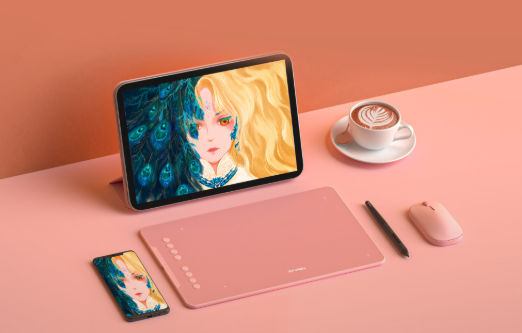
XP Pen’s Best Drawing Tablet (Source: XP Pen)
The XP-Pen Deco 01 V2 is a favorite among digital artists looking for a large active area at a reasonable price. With a 10 x 6.25-inch drawing space, 8,192 pressure levels, and tilt support, it offers a smooth and expressive drawing experience. Its 8 mm portable profile allows you to take inspiration everywhere.
The Deco features 8 customizable keys for quick access to tools and works well across Windows, macOS, and Android. For artists who want performance without the premium price tag, this tablet is a reliable pick.
Also Read : Inside Virtual Reality Software: Building Worlds, Solving Problems
2. Huion Inspiroy H640P
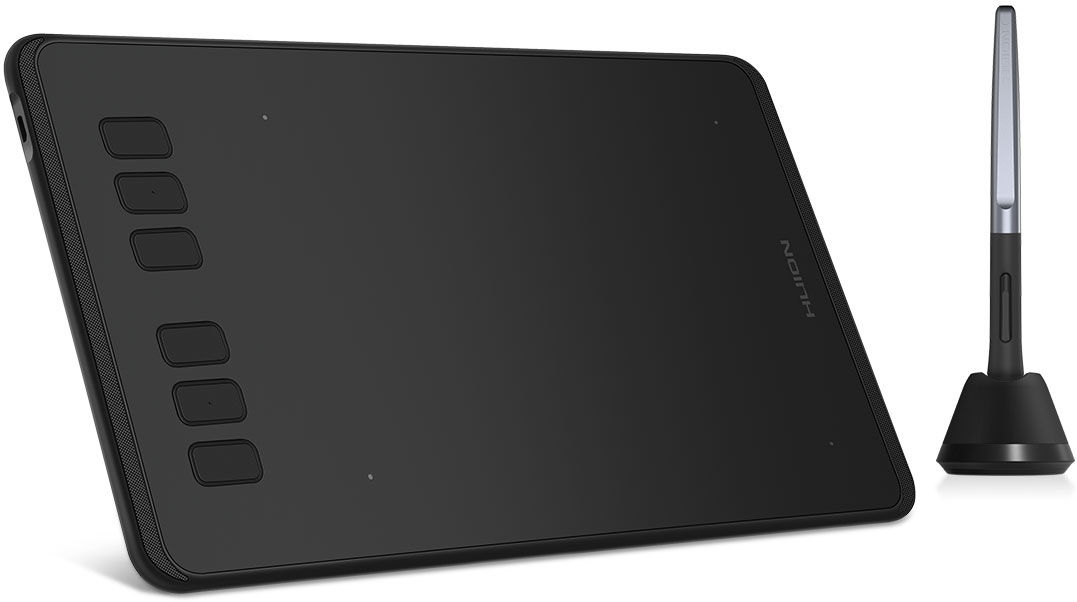
Compact Huion Drawing Tablet (Source: Huion)
Compact and travel-friendly, the Huion Inspiroy H640P is perfect for creators on the go. It provides a 6.3 x 3.9-inch workspace, 6 programmable shortcut keys, and a responsive battery-free stylus. You’ll enjoy its efficient express keys combined with 2 pen buttons (typically for right click and erase function).
The 8,192 levels of pressure sensitivity allow for precise control, making it ideal for illustration, note-taking, or editing. Its compatibility with various platforms, including Android, adds flexibility. For an affordable, no-fuss tablet, the H640P is a solid option.
Also Read : Finance Business Ideas: 15 Scalable Concepts for Lasting Success
3. XP-Pen Star G640
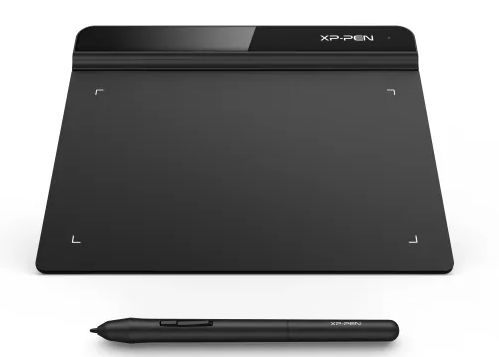
Minimalist XP Pen Drawing Tablet (Source: XP Pen)
Sleek and minimalist, the XP-Pen Star G640 is an entry-level tablet that packs impressive responsiveness into a slim design. The 6 x 4-inch active area is compact but efficient, while the battery-free pen ensures consistent performance. Particularly made for clean, non-button fans because its shortcuts are handled via the software.
With 8,192 pressure levels and wide software compatibility, it’s great for beginners, students, or professionals needing a lightweight tablet. Its price makes it one of the most accessible choices in this category.
4. Ugee M908
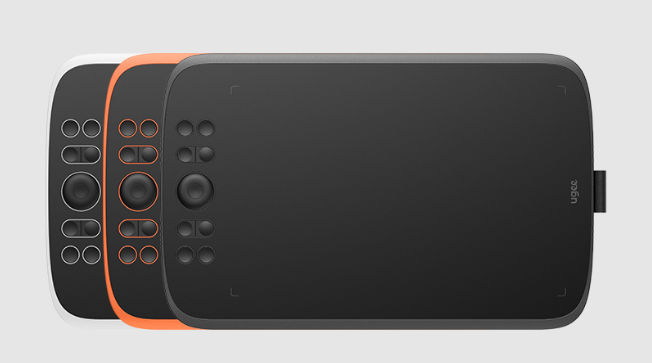
Ugee’s Drawing Tablet (Source: Ugee)
Offering a generous 10 x 6.25-inch active area, the Ugee M908 is designed for creators who need more space without spending more. It comes with a pressure-sensitive stylus (8,192 levels) and tilt recognition, enabling dynamic and natural strokes. Its stylus came with a mechanical scroll wheel, allowing you seamless zooming and brush adjustments.
The 8 shortcut keys can be customized to suit different workflows, and it’s compatible with major creative software. Ideal for digital painting or graphic design, the M908 stands out for its combination of features and affordability.
5. GAOMON S620
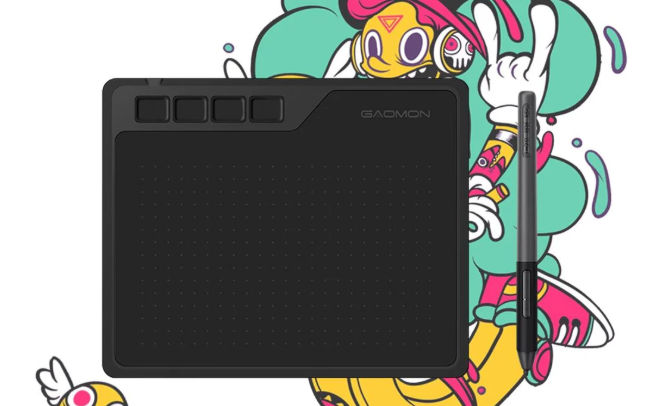
GAOMON’s Budget Tablet (Source: GAOMON)
The GAOMON S620 is a small but capable tablet that delivers a smooth drawing experience. Its 6.5 x 4-inch active area, smooth matte surface, 4 programmable keys, and battery-free stylus make it suitable for digital sketching and online teaching.
With 8,192 pressure levels and wide system compatibility, it handles everyday creative tasks with ease. If you’re after portability and performance in a compact form, this cheap drawing tablet is a practical choice.
6. Wacom Intuos S
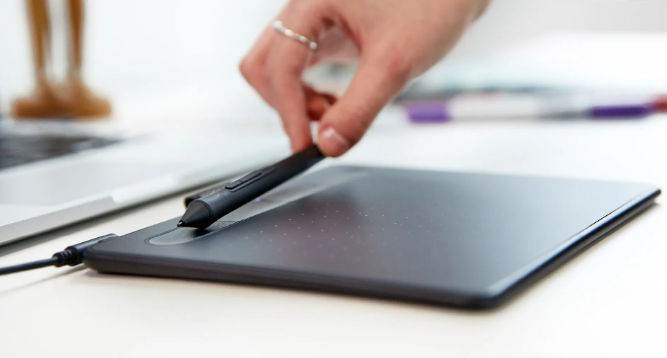
Reliable Drawing Tablet from Wacom (Source: Wacom)
Wacom’s reputation ensures the best drawing tablet quality, making the Intuos S a popular entry-level choice. Its 6 x 3.7-inch drawing area, along with 4,096 pressure levels, may seem modest compared to others, but its accuracy and software integration are top-notch. The Wacom Intuos series allows you to level up with your gear.
The stylus requires no battery, and the wireless tablet is available with both USB and Bluetooth options. It’s particularly suitable for beginners who want dependable performance and access to Wacom’s ecosystem of creative tools.
Also Read : 10 Better Midjourney Alternatives for Designers and Creators
7. XP-Pen Artist 12
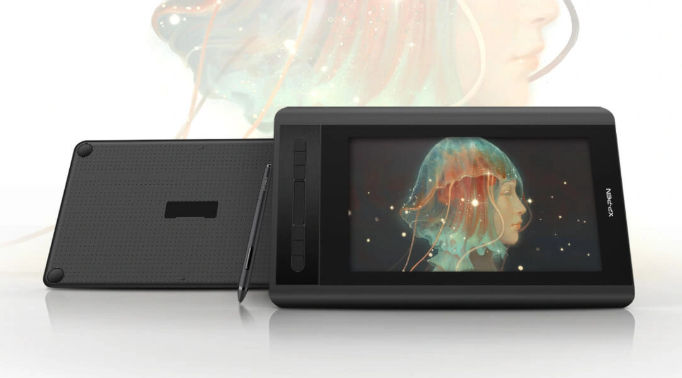
XP-Pen Budget Drawing Tablet (Source: XP Pen)
For those seeking a display tablet without the high price tag, the XP-Pen Artist 12 is a standout. It features an 11.9-inch fully laminated screen with vivid color and 1080p resolution, giving artists direct visual feedback. It boasts 127% sRGB, anti-glare, and a full lamination screen.
The stylus supports 8,192 pressure levels and tilt, while 8 shortcut buttons and a touch bar improve productivity. It’s a strong option for creators wanting a screen experience on the best budget drawing tablet.
Also Read : 10 Real-World Examples of Augmented Reality in Everyday Life
Building Skills with the Best Drawing Tablet
Good habits start with good tools. By choosing a device that balances control and cost, you’re giving yourself the freedom to experiment and improve. Every tablet on this list represents a practical step forward, making it easier to find the best drawing tablet for beginners that fits your goals.Your tablet gets the ideas flowing, and we, LetterSiro, can help give them a voice. With a growing collection of expressive, hand-crafted fonts, our foundry is here to support illustrators and designers who want to elevate their work. After all, strong visuals and beautiful type often go hand in hand.